
Patient Care Technician
  • Select Your State
      • Alabama
      • Alaska
      • Arizona
      • Arkansas
      • California
      • Colorado
      • Connecticut
      • Delaware
      • District of Columbia
      • Florida
      • Georgia
      • Hawaii
      • Idaho
      • Illinois
      • Indiana
      • Iowa
      • Kansas
      • Kentucky
      • Louisiana
      • Maine
      • Maryland
      • Massachusetts
      • Michigan
      • Minnesota
      • Mississippi
      • Missouri
      • Montana
      • New Hampshire
      • Nebraska
      • Nevada
      • New Jersey
      • New Mexico
      • New York
      • North Carolina
      • North Dakota
      • Ohio
      • Oklahoma
      • Oregon
      • Pennsylvania
      • Rhode Island
      • South Carolina
      • South Dakota
      • Tennessee
      • Texas
      • Utah
      • Vermont
      • Virginia
      • Washington
      • West Virginia
      • Wisconsin
      • Wyoming
  • Top Cities
      • Pittsburgh, PA
      • Dallas, TX
      • Philadelphia, PA
      • El Paso, TX
      • Jacksonville, FL
      • Fort Worth, TX
      • San Antonio, TX
      • Denver, CO
      • Boulder, CO
      • Colorado Springs, CO
      • Honolulu, HI
      • Houston, TX
      • Manhatten, NY
      • Miami, FL
      • Tampa, FL
      • Oakland, CA
      • Pasadena, CA
      • Sacramento, CA
      • San Francisco, CA
      • Orlando, FL
      • San Jose, CA
      • Los Angeles, CA
      • Phoenix, AZ
      • Tucson, AZ
      • Mesa, AZ
  • How to Become
  • FAQ’s
  • PCT Articles
  • Menu Menu
Online Patient Care Tech school

Navigating Electronic Health Records as a Patient Care Technician

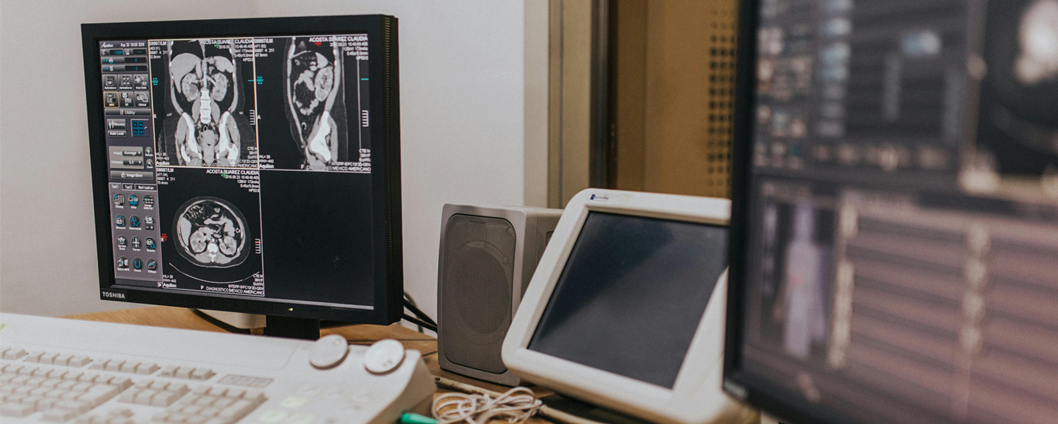
In today’s healthcare environment, technology is as crucial as the human touch. For Patient Care Technicians (PCTs), understanding and efficiently using Electronic Health Records (EHR) is essential. EHRs streamline communication, improve patient care, and ensure accurate documentation. However, mastering EHRs can be challenging, especially if you’re new to the system. Here’s a guide to help you navigate EHRs effectively and confidently in your role as a PCT.

What Are Electronic Health Records (EHRs)?

EHRs are digital systems that store patients’ medical histories, including vital signs, medications, lab results, treatment plans, and progress notes. They allow healthcare professionals to access and update information in real-time, improving efficiency and reducing errors.

For PCTs, EHRs are primarily used to:

  • Document vital signs and patient observations.
  • Communicate patient updates to nurses and doctors.
  • Access care plans and schedules.

Why Are EHRs Important for PCTs?

As a PCT, you’re often the first point of contact for patients, making your role in maintaining accurate and timely records critical. Here’s why EHRs matter:

  1. Accuracy: Ensures precise documentation of patient data.
  2. Collaboration: Facilitates communication between healthcare team members.
  3. Efficiency: Saves time by centralizing information.
  4. Compliance: Meets legal and regulatory requirements for patient records.

Tips for Navigating EHRs Successfully

Get Familiar with Your Facility’s EHR System

Each facility may use a different EHR platform, such as Epic, Cerner, or Meditech. Invest time in learning the system your workplace uses.

  • Participate in Training: Most facilities offer EHR training during onboarding. Take advantage of this opportunity to learn the basics.
  • Explore Tutorials: Many EHR systems provide online guides and videos for additional learning.
  • Ask Questions: Don’t hesitate to ask colleagues for tips or clarification on unfamiliar features.

Prioritize Accuracy in Data Entry

Accurate documentation is critical for patient safety and continuity of care.

  • Double-Check Entries: Verify information before saving it in the system.
  • Use Standardized Formats: Follow your facility’s guidelines for entering data to maintain consistency.
  • Be Thorough: Record all necessary details, including vital signs, observations, and patient responses.

Organize Your Workflow

Efficiently navigating EHRs can save time and reduce stress during busy shifts.

  • Plan Your Day: Use the EHR system to view your patient list and prioritize tasks.
  • Set Reminders: Many EHR platforms allow you to set alerts for tasks like checking vitals or medication schedules.
  • Batch Tasks: Enter data for multiple patients at once, if feasible, to streamline documentation.

Communicate Effectively with the Team

EHRs are a communication tool as much as they are a documentation system.

  • Update Notes Promptly: Enter patient updates immediately to keep the team informed.
  • Flag Critical Information: Use alerts or flags for urgent updates that require immediate attention.
  • Collaborate: Notify nurses and other team members of changes or concerns noted in the EHR.

Stay Compliant with Privacy Regulations

Protecting patient privacy is a legal and ethical responsibility.

  • Follow HIPAA Guidelines: Only access patient records necessary for your role, and never share login credentials.
  • Log Out: Always log out of the system when stepping away from a workstation.
  • Avoid Public Spaces: Ensure patient information isn’t visible to unauthorized individuals.

Embrace Continuous Learning

EHR systems are frequently updated, and staying informed is crucial.

  • Attend Refresher Courses: Participate in ongoing training sessions to learn new features or updates.
  • Learn Shortcuts: Mastering keyboard shortcuts or frequently used functions can save time.
  • Seek Feedback: Ask for input from supervisors or colleagues on improving your EHR usage.

Overcoming Common Challenges with EHRs

Challenge 1: Feeling Overwhelmed by Technology

  • Solution: Practice regularly in a non-patient setting to build confidence.

Challenge 2: Balancing Documentation with Patient Care

  • Solution: Use downtime to update records and avoid procrastinating on documentation.

Challenge 3: Navigating System Errors or Downtime

  • Solution: Familiarize yourself with your facility’s protocols for manual documentation during system outages.

Navigating EHRs effectively is an essential skill for Patient Care Technicians. By mastering your facility’s system, prioritizing accuracy, and staying organized, you’ll contribute to improved patient care and a more efficient healthcare team. Remember, practice and patience are key—over time, you’ll become a confident and proficient EHR user.

Search Patient Care Technician Programs

Get information on Patient Care Technician programs by entering your zip code and request enrollment information.

Sponsored Listings
Search Patient Care Technician Programs

Get information on Patient Care Technician programs by entering your zip code and request enrollment information.

Sponsored Search
become a Patient care technician
  • patient Care Technician
    Starting a Mobile IV Therapy Business as a PCTAugust 23, 2025 - 9:32 am
  • patient Care Technician
    The History of Patient Care TechniciansAugust 23, 2025 - 8:20 am
  • patient Care Technician
    Will AI Replace PCTs and the Future of Human Roles in HealthcareAugust 23, 2025 - 8:07 am
  • patient Care Technician
    Top Apps That Make a PCT’s Life EasierAugust 2, 2025 - 4:14 pm
  • Patient Care Technician schools
    The Honest Truth About Life on the Frontlines of Patient CareAugust 1, 2025 - 11:13 pm
  • patient Care Technician
    5 Times a Patient Care Technician Made a Life-Changing ImpactJuly 18, 2025 - 9:46 am
  • Patient Care Technician jobs
    Top PCT Social Media Accounts and Podcasts to FollowJuly 18, 2025 - 9:32 am
  • Patient Care Technician jobs
    What’s the Difference PCT vs CNA vs MA?July 18, 2025 - 7:50 am
  • Patient Care Technician jobs
    10 Stretches Every PCT Should Do After a Long ShiftMay 13, 2025 - 9:34 am
  • Patient Care Technician jobs
    How to Stay Calm and Focused During a Code BlueMay 13, 2025 - 9:09 am
  • patient Care Tech Online degree
    What PCTs Should Know About Supporting Patients With DementiaApril 29, 2025 - 8:57 am
  • patient Care Tech Online degree
    Profound Lessons Learned at the BedsideApril 28, 2025 - 6:16 am
  • patient Care Tech Online degree
    The Vital Link Between Sleep, Nutrition, and Your Healthcare PerformanceApril 28, 2025 - 6:10 am
  • Nursing courses and classes
    Answering Your Questions About Patient CareApril 19, 2025 - 9:23 am
  • patient Care Tech Online degree
    The PCT Support Group: Connecting and Sharing Experiences OnlineApril 19, 2025 - 9:13 am
  • Online Patient Care Tech school
    Advocating for Your Patients: Being Their Voice in the Healthcare SettingApril 19, 2025 - 9:02 am
  • schools for nursing
    A PCT’s Guide to Canes, Walkers, and WheelchairsApril 19, 2025 - 8:55 am
  • schools for nursing
    Quiz: What Type of PCT Are You?April 19, 2025 - 8:41 am
  • schools for nursing
    How to Stand Out as a PCT During Clinical RotationsApril 19, 2025 - 8:29 am
  • schools for nursing
    Essentials Every PCT Should CarryApril 19, 2025 - 8:13 am
PTC Educational Value
Patient Care Technician duties
© Copyright - PatientCareTech.org 2026 Webdesign by www.MyMediaDesigner.com
Link to: How to Build Confidence as a New Patient Care Technician (PCT) Link to: How to Build Confidence as a New Patient Care Technician (PCT) How to Build Confidence as a New Patient Care Technician (PCT)The Challenges of Working as a Patient Care Technician Link to: Top Hygiene Practices for Patient Care Technicians to Ensure Patient Safety Link to: Top Hygiene Practices for Patient Care Technicians to Ensure Patient Safety Patient Care Technician CareerTop Hygiene Practices for Patient Care Technicians to Ensure Patient Safety
Scroll to top Scroll to top Scroll to top